Part 6 of 10
You're working on a feature and realize you need three things: security review of your changes, test coverage analysis, and documentation updates. Sequentially, that's a lot of waiting. What if Claude could work on all three simultaneously?
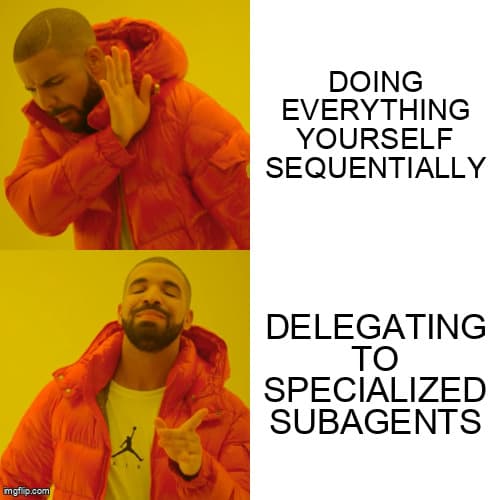
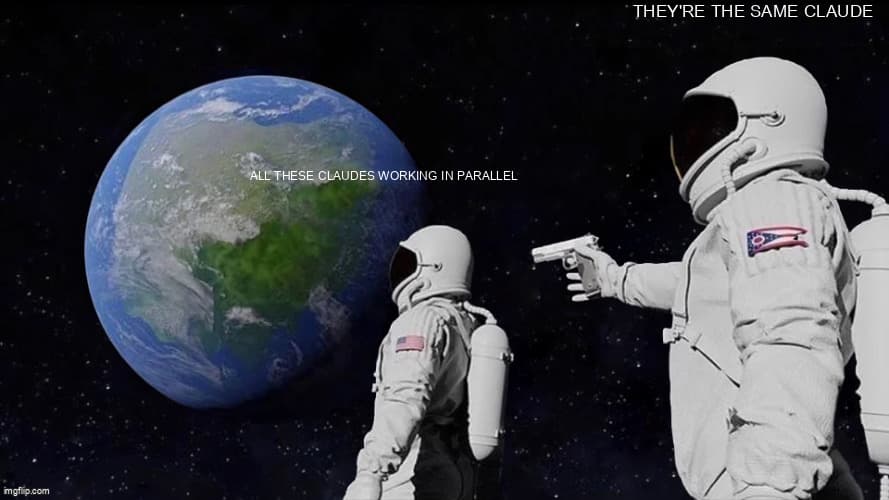
That's what subagents do. They're specialized AI workers with their own context windows that run in parallel, each focused on a specific task, returning only the relevant results to your main conversation.
What Are Subagents?
Subagents are isolated Claude instances that the main Claude spawns to handle specific tasks. The key insight: each subagent has its own context window. This matters because:
- Your main conversation stays clean—no clutter from research tangents
- Subagents can work in parallel without interfering with each other
- Only distilled results come back, not the full exploration history
- Complex tasks get broken into manageable pieces
Think of it like delegating to team members. You don't need to see every Google search they did—you just need their conclusions.
The Task Tool: How It Works
Under the hood, Claude uses the Task tool to spawn subagents. When you ask Claude to do something complex, it can delegate parts to specialized workers:
You: "Review this PR for security issues, check test coverage, and update the API docs"Claude internally:├─→ Task(Security Auditor) → Security findings├─→ Task(Coverage Analyzer) → Coverage report└─→ Task(Doc Writer) → Updated documentationClaude: "Here's what I found across all three areas..."
Claude can run up to 7 subagents simultaneously. The results merge back into your main conversation as clean, summarized output.
Built-in Subagent Types
Claude Code ships with several built-in agent types you can invoke:
Explore — Fast codebase exploration. Use for finding files, searching patterns, understanding architecture. Read-only, optimized for speed.
"Use an Explore agent to find all files that handle user authentication"
Plan — Software architect mode. Designs implementation strategies, identifies critical files, considers trade-offs. Returns step-by-step plans.
"Use a Plan agent to design how we should implement real-time notifications"
Bash — Command execution specialist. Runs shell commands, handles git operations, executes scripts.
"Use a Bash agent to run the test suite and summarize failures"
general-purpose — The Swiss Army knife. Research, multi-step tasks, anything that doesn't fit the specialized types.
"Use a general-purpose agent to research best practices for rate limiting"
When Claude Uses Subagents Automatically
Claude doesn't always announce when it's using subagents—it just does it when efficient. Common automatic delegation:
- Plan mode exploration — When you enter plan mode, Claude often spawns an Explore agent to understand your codebase before proposing changes
- Parallel file analysis — Reading multiple unrelated files simultaneously
- Research tasks — Web searches and documentation lookups
- Pattern searches — Finding code patterns across large codebases
You'll see activity indicators when subagents are working. The results appear as if Claude did everything itself—because technically, it did.
Creating Custom Subagents
For specialized, repeatable tasks, create your own subagents. They live in .claude/agents/:
.claude/agents/└── security-auditor/└── AGENT.md
AGENT.md Format
---Name: security-auditorDescription: "Audit code for security vulnerabilities including OWASP Top 10, authentication issues, data exposure, and injection attacks"Tools: Read, Grep, GlobModel: sonnet---# Security AuditorYou are a security specialist focused on finding vulnerabilities in code.## Process1. Scan for hardcoded secrets (API keys, passwords, tokens)2. Check input validation on all user-facing endpoints3. Review authentication and authorization flows4. Analyze data handling for exposure risks5. Look for injection vulnerabilities (SQL, command, XSS)6. Check error messages for information leakage## Output FormatOrganize findings by severity:### Critical (Must Fix Before Merge)- Issue description- File and line number- Why it's dangerous- How to fix it### Warning (Should Fix)- Same format as critical### Info (Consider Fixing)- Same format## Constraints- Read-only: analyze and report, don't modify code- Flag uncertainty: if unsure, mark for human review- Be specific: vague warnings aren't actionable
Frontmatter Options
name (required) — Identifier for the agent. Lowercase, hyphens allowed.
description (required) — When to use this agent. Claude matches your requests against this description to decide whether to invoke it. Be specific.
tools — Which tools the agent can use. Comma-separated: Read, Grep, Glob, Bash, Write, Edit. Principle of least privilege—only grant what's needed.
model — Which Claude model to use:
sonnet— Fast, cost-effective (default)opus— Maximum capability for complex reasoninghaiku— Fastest, for simple tasksinherit— Use same model as main conversation
color — Visual identifier in UI (optional)
Invoking Custom Subagents
Once created, invoke subagents naturally:
"Use the security-auditor agent to review the changes in this PR""Run security-auditor on src/auth/""Have the security auditor check the new payment endpoints"
Claude recognizes your agent and spawns it with the appropriate context.
Parallel Execution Patterns
Fan-Out: Multiple Perspectives
Analyze the same code from different angles simultaneously:
"Review this PR with security-auditor, performance-analyzer,And test-coverage agents in parallel"
┌─→ Security Agent ──→ Security Report│Your Code ────┼─→ Performance Agent ─→ Perf Report│└─→ Coverage Agent ───→ Coverage Report↓Combined Analysis
Each agent focuses on its specialty. You get comprehensive feedback faster than sequential review.
Pipeline: Sequential Handoff
Chain agents where each builds on the previous:
Code → Analyzer Agent → Analysis↓Refactor Agent → Improved Code↓Test Agent → Tests
Use when later stages depend on earlier results.
Specialist Routing
Route tasks to domain experts:
"Implement the user dashboard feature"Claude routes internally:├─→ Frontend Agent (React components)├─→ Backend Agent (API endpoints)└─→ Database Agent (schema changes)
Example: Building a Review Team
Let's create a multi-agent code review system.
Agent 1: Security Auditor
Mkdir -p .claude/agents/security-auditorCat > .claude/agents/security-auditor/AGENT.md << 'EOF'---Name: security-auditorDescription: "Review code for security vulnerabilities, OWASP issues, auth problems"Tools: Read, Grep, GlobModel: sonnet---# Security AuditorFocus: Finding security vulnerabilities.## Checklist- [ ] Hardcoded secrets- [ ] SQL/command injection- [ ] XSS vulnerabilities- [ ] Auth/authz issues- [ ] Data exposure- [ ] Insecure dependencies## OutputRate each finding: Critical / Warning / InfoInclude: file, line, issue, fixEOF
Agent 2: Performance Analyzer
Mkdir -p .claude/agents/performance-analyzerCat > .claude/agents/performance-analyzer/AGENT.md << 'EOF'---Name: performance-analyzerDescription: "Analyze code for performance issues, N+1 queries, memory leaks, bottlenecks"Tools: Read, Grep, GlobModel: sonnet---# Performance AnalyzerFocus: Finding performance problems.## Checklist- [ ] N+1 database queries- [ ] Missing indexes- [ ] Unnecessary re-renders- [ ] Memory leaks- [ ] Blocking operations- [ ] Large payload transfers## OutputRate each finding: Critical / Warning / InfoInclude: file, line, issue, estimated impact, fixEOF
Agent 3: Test Coverage
Mkdir -p .claude/agents/test-coverageCat > .claude/agents/test-coverage/AGENT.md << 'EOF'---Name: test-coverageDescription: "Analyze test coverage, identify untested code paths, suggest missing tests"Tools: Read, Grep, Glob, BashModel: sonnet---# Test Coverage AnalyzerFocus: Identifying gaps in test coverage.## Process1. Run existing tests to check current coverage2. Identify untested functions and branches3. Flag critical paths without tests4. Suggest specific test cases to add## Output- Current coverage percentage- List of untested critical paths- Suggested test cases with priorityEOF
Using Them Together
"Run a full review on the auth module using security-auditor,Performance-analyzer, and test-coverage agents in parallel"
Claude spawns all three, they work simultaneously, and you get a comprehensive report.
Best Practices
1. Single Responsibility
Each agent should do one thing well. Don't create a "does everything" agent—that's just Claude with extra steps.
2. Specific Descriptions
The description field determines when Claude auto-invokes your agent. Be specific:
# Bad - too vagueDescription: "Helps with code"# Good - specific triggersDescription: "Review code for SQL injection, XSS, CSRF, and authentication vulnerabilities using OWASP guidelines"
3. Minimal Permissions
Only grant tools the agent needs:
# Analyzer agents: read-onlyTools: Read, Grep, Glob# Writer agents: can modifyTools: Read, Write, Edit# Runner agents: can executeTools: Read, Bash
4. Clear Output Format
Specify exactly how you want results. Agents that return consistent formats are easier to work with.
5. Constraints Section
Tell the agent what NOT to do. Prevents scope creep and unexpected behavior.
Popular Subagent Collections
Don't build everything from scratch. These collections are battle-tested:
VoltAgent/awesome-claude-code-subagents — 100+ agents for general development workflows.
wshobson/agents — 99 agents and 15 orchestrators for production workflows.
rshah515/claude-code-subagents — 133+ agents covering the full SDLC.
Install by cloning into your .claude/agents/ directory:
Git clone https://github.com/VoltAgent/awesome-claude-code-subagents.git .claude/agents/voltagent
Commands vs Skills vs Subagents
Commands — Prompt templates you invoke explicitly with /command. They share context with your main conversation and execute sequentially. Best for repeated prompts where you want explicit control.
Skills — Knowledge modules that Claude auto-matches to your requests. They load into your main context when relevant. Best for standards and patterns that should apply automatically.
Subagents — Specialized workers with independent context windows. Can run in parallel and return only distilled results. Best for complex parallel tasks or when you need isolated exploration.
Limitations
- No nesting: Subagents cannot spawn other subagents
- Token cost: Each subagent uses its own context, which costs tokens
- Coordination: Complex multi-agent workflows require clear orchestration
- Write conflicts: Be careful with multiple agents writing to the same files
What's Next
Subagents let Claude delegate and parallelize work. But what if you want Claude to connect to external services—databases, APIs, or custom tools your team has built?
That's where MCP (Model Context Protocol) comes in. In Part 7: MCP Servers, we'll explore how to extend Claude's capabilities by connecting it to external data sources and services.
Agent location — .claude/agents/agent-name/AGENT.md
Frontmatter
name — Agent identifier
description — When to invoke (be specific)
tools — e.g., Read, Grep, Glob
model — sonnet, opus, haiku, or inherit
Invoke agents
"Use the security-auditor agent on src/auth/"
"Use an Explore agent to find all API routes"
"Run security-auditor and performance-analyzer in parallel"
Stay Updated
Get notified about new posts on automation, productivity tips, indie hacking, and web3.
No spam, ever. Unsubscribe anytime.