Part 6 of 10
你正在开发一个功能,突然意识到需要做三件事:对改动进行安全审查、测试覆盖率分析,以及文档更新。顺序执行的话,等待时间太长了。如果 Claude 能同时处理这三件事呢?
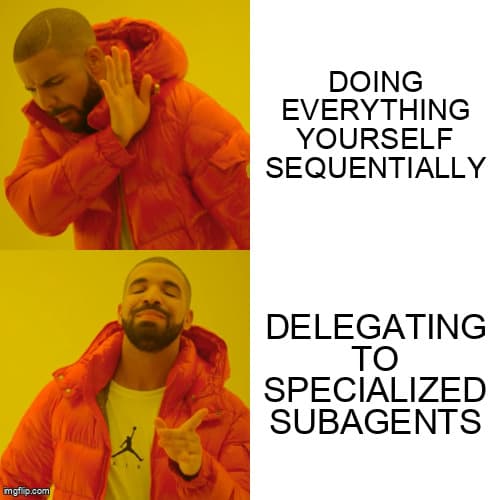
这就是子代理(Subagents)的用武之地。它们是具有独立上下文窗口的专业 AI 工作者,可以并行运行,每个专注于一个特定任务,只把相关结果返回给你的主对话。
什么是子代理?
子代理是由主 Claude 生成的独立 Claude 实例,用于处理特定任务。关键点在于:每个子代理都有自己独立的上下文窗口。这意味着:
- 你的主对话保持干净——不会被研究过程中的旁枝末节搞乱
- 子代理可以并行工作,互不干扰
- 只有精炼后的结果会返回,而不是完整的探索历史
- 复杂任务被拆分成可管理的小块
把它想象成给团队成员分配任务。你不需要看到他们每次 Google 搜索的内容——你只需要他们的结论。
Task 工具:工作原理
在底层,Claude 使用 Task 工具 来生成子代理。当你要求 Claude 做一些复杂的事情时,它可以把部分工作委派给专业工作者:
你:"审查这个 PR 的安全问题,检查测试覆盖率,并更新 API 文档"Claude 内部处理:├─→ Task(安全审计员) → 安全发现├─→ Task(覆盖率分析器) → 覆盖率报告└─→ Task(文档撰写者) → 更新后的文档Claude:"以下是我在三个方面的发现..."
Claude 最多可以同时运行 7 个子代理。结果会合并回你的主对话,以干净、精炼的方式呈现。
内置子代理类型
Claude Code 内置了几种代理类型,你可以直接调用:
Explore — 快速代码库探索。用于查找文件、搜索模式、理解架构。只读模式,为速度优化。
"使用 Explore 代理查找所有处理用户认证的文件"
Plan — 软件架构师模式。设计实现策略,识别关键文件,权衡利弊。返回逐步计划。
"使用 Plan 代理设计我们应该如何实现实时通知功能"
Bash — 命令执行专家。运行 Shell 命令,处理 git 操作,执行脚本。
"使用 Bash 代理运行测试套件并总结失败项"
general-purpose — 万能瑞士军刀。研究、多步骤任务,以及不属于专业类型的任何工作。
"使用通用代理研究速率限制的最佳实践"
Claude 何时自动使用子代理
Claude 并不总是在使用子代理时通知你——它只在效率更高时才这样做。常见的自动委派场景:
- Plan 模式探索 — 当你进入 plan 模式时,Claude 通常会生成一个 Explore 代理来了解你的代码库,然后再提出更改建议
- 并行文件分析 — 同时读取多个不相关的文件
- 研究任务 — 网络搜索和文档查找
- 模式搜索 — 在大型代码库中查找代码模式
当子代理工作时,你会看到活动指示器。结果看起来就像 Claude 自己完成了所有工作——因为从技术上说,确实如此。

创建自定义子代理
对于专业化、可重复的任务,可以创建自己的子代理。它们存放在 .claude/agents/ 目录中:
.claude/agents/└── security-auditor/└── AGENT.md
AGENT.md 格式
---Name: security-auditorDescription: "Audit code for security vulnerabilities including OWASP Top 10, authentication issues, data exposure, and injection attacks"Tools: Read, Grep, GlobModel: sonnet---# Security AuditorYou are a security specialist focused on finding vulnerabilities in code.## Process1. Scan for hardcoded secrets (API keys, passwords, tokens)2. Check input validation on all user-facing endpoints3. Review authentication and authorization flows4. Analyze data handling for exposure risks5. Look for injection vulnerabilities (SQL, command, XSS)6. Check error messages for information leakage## Output FormatOrganize findings by severity:### Critical (Must Fix Before Merge)- Issue description- File and line number- Why it's dangerous- How to fix it### Warning (Should Fix)- Same format as critical### Info (Consider Fixing)- Same format## Constraints- Read-only: analyze and report, don't modify code- Flag uncertainty: if unsure, mark for human review- Be specific: vague warnings aren't actionable
Frontmatter 选项
name(必填)— 代理的标识符。小写,允许连字符。
description(必填)— 何时使用此代理。Claude 会将你的请求与描述进行匹配来决定是否调用它。要写得具体。
tools — 代理可以使用的工具。逗号分隔:Read, Grep, Glob, Bash, Write, Edit。遵循最小权限原则——只授予必需的权限。
model — 使用哪个 Claude 模型:
sonnet— 快速、性价比高(默认)opus— 最强能力,适用于复杂推理haiku— 最快速,适用于简单任务inherit— 使用与主对话相同的模型
color — UI 中的视觉标识(可选)
调用自定义子代理
创建完成后,用自然语言调用子代理:
"使用 security-auditor 代理审查这个 PR 的改动""对 src/auth/ 运行 security-auditor""让安全审计员检查新的支付端点"
Claude 会识别你的代理并以适当的上下文生成它。
并行执行模式
Fan-Out:多角度分析
从不同角度同时分析相同的代码:
"使用 security-auditor、performance-analyzer和 test-coverage 代理并行审查这个 PR"
┌─→ 安全代理 ──→ 安全报告│你的代码 ────┼─→ 性能代理 ─→ 性能报告│└─→ 覆盖率代理 ───→ 覆盖率报告↓综合分析
每个代理专注于自己的专长。你获得全面反馈的速度比顺序审查要快得多。
Pipeline:顺序交接
当后续阶段依赖前面的结果时,链式调用代理:
代码 → 分析代理 → 分析结果↓重构代理 → 改进后的代码↓测试代理 → 测试
适用于后续步骤依赖前面结果的场景。
Specialist Routing:专家路由
将任务路由到领域专家:
"实现用户仪表板功能"Claude 内部路由:├─→ 前端代理 (React 组件)├─→ 后端代理 (API 端点)└─→ 数据库代理 (Schema 变更)
示例:构建审查团队
让我们创建一个多代理代码审查系统。
代理 1:安全审计员
mkdir -p .claude/agents/security-auditorcat > .claude/agents/security-auditor/AGENT.md << 'EOF'---Name: security-auditorDescription: "Review code for security vulnerabilities, OWASP issues, auth problems"Tools: Read, Grep, GlobModel: sonnet---# Security AuditorFocus: Finding security vulnerabilities.## Checklist- [ ] Hardcoded secrets- [ ] SQL/command injection- [ ] XSS vulnerabilities- [ ] Auth/authz issues- [ ] Data exposure- [ ] Insecure dependencies## OutputRate each finding: Critical / Warning / InfoInclude: file, line, issue, fixEOF
代理 2:性能分析器
mkdir -p .claude/agents/performance-analyzercat > .claude/agents/performance-analyzer/AGENT.md << 'EOF'---Name: performance-analyzerDescription: "Analyze code for performance issues, N+1 queries, memory leaks, bottlenecks"Tools: Read, Grep, GlobModel: sonnet---# Performance AnalyzerFocus: Finding performance problems.## Checklist- [ ] N+1 database queries- [ ] Missing indexes- [ ] Unnecessary re-renders- [ ] Memory leaks- [ ] Blocking operations- [ ] Large payload transfers## OutputRate each finding: Critical / Warning / InfoInclude: file, line, issue, estimated impact, fixEOF
代理 3:测试覆盖率
mkdir -p .claude/agents/test-coveragecat > .claude/agents/test-coverage/AGENT.md << 'EOF'---Name: test-coverageDescription: "Analyze test coverage, identify untested code paths, suggest missing tests"Tools: Read, Grep, Glob, BashModel: sonnet---# Test Coverage AnalyzerFocus: Identifying gaps in test coverage.## Process1. Run existing tests to check current coverage2. Identify untested functions and branches3. Flag critical paths without tests4. Suggest specific test cases to add## Output- Current coverage percentage- List of untested critical paths- Suggested test cases with priorityEOF
协同使用
"使用 security-auditor、performance-analyzer 和 test-coverage代理并行对 auth 模块执行全面审查"
Claude 同时生成三个代理,它们并行工作,你得到一份完整的综合报告。
最佳实践
1. 单一职责
每个代理应该做好一件事。不要创建一个"什么都做"的代理——那不过是多加了一层的 Claude 而已。
2. 精确描述
description 字段决定了 Claude 何时自动调用你的代理。要写得具体:
# 不好 - 太模糊Description: "Helps with code"# 好 - 具体触发条件Description: "Review code for SQL injection, XSS, CSRF, and authentication vulnerabilities using OWASP guidelines"
3. 最小权限
只授予代理需要的工具:
# 分析类代理:只读Tools: Read, Grep, Glob# 编写类代理:可以修改Tools: Read, Write, Edit# 运行类代理:可以执行Tools: Read, Bash
4. 清晰的输出格式
明确指定你期望的结果格式。输出格式一致的代理更容易协同工作。
5. 约束部分
告诉代理什么不要做。防止功能蔓延和意外行为。
热门子代理集合
不需要从零开始构建。这些集合都是经过实战检验的:
VoltAgent/awesome-claude-code-subagents — 100+ 个通用开发工作流代理。
wshobson/agents — 99 个代理和 15 个编排器,用于生产工作流。
rshah515/claude-code-subagents — 133+ 个代理,覆盖完整的软件开发生命周期(SDLC)。
安装方式是克隆到你的 .claude/agents/ 目录:
git clone https://github.com/VoltAgent/awesome-claude-code-subagents.git .claude/agents/voltagent
命令 vs 技能 vs 子代理
命令(Commands) — 你用 /command 显式调用的 Prompt 模板。它们与主对话共享上下文,按顺序执行。适合需要显式控制的重复性提示。
技能(Skills) — Claude 自动匹配你请求的知识模块。相关时会加载到你的主上下文中。适合应该自动应用的标准和模式。
子代理(Subagents) — 拥有独立上下文窗口的专业工作者。可以并行运行,只返回精炼后的结果。适合复杂的并行任务或需要隔离探索的场景。
局限性
- 不支持嵌套:子代理不能再生成其他子代理
- Token 成本:每个子代理使用自己的上下文,这会消耗 Token
- 协调:复杂的多代理工作流需要清晰的编排
- 写入冲突:多个代理写入同一文件时要小心
下一步
子代理让 Claude 能够委派和并行化工作。但如果你想让 Claude 连接到外部服务——数据库、API 或你团队构建的自定义工具呢?
这就需要 MCP(Model Context Protocol,模型上下文协议)了。在第7篇:MCP 服务器中,我们将探索如何通过连接外部数据源和服务来扩展 Claude 的能力。
代理位置 — .claude/agents/agent-name/AGENT.md
Frontmatter
name — 代理标识符
description — 何时调用(要具体)
tools — 如 Read, Grep, Glob
model — sonnet、opus、haiku 或 inherit
调用代理
"对 src/auth/ 使用 security-auditor 代理"
"使用 Explore 代理查找所有 API 路由"
"并行运行 security-auditor 和 performance-analyzer"
Stay Updated
Get notified about new posts on automation, productivity tips, indie hacking, and web3.
No spam, ever. Unsubscribe anytime.